


Survivalcraft
LEGO ® Marvel Super Heroes

Door Kickers: Action Squad

Star Survivor:Premium

ScourgeBringer

Cover Fire: Offline Shooting

Mortar Defense

Wizard of Legend

Shadow Fight 2 Special Edition

World War: Fight For Freedom

Doll Dress Up: Sweet Girl
TapMagic Studio
Updated Time
Sep 25, 2026
Category
Casual
Installs
10M+
Content Rating
Updated Time
Sep 25, 2026
Privacy Policy
View PolicyCategory
Casual
Developer
TapMagic Studio
Installs
10M+
Content Rating
Screenshots


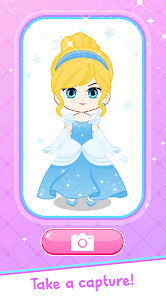
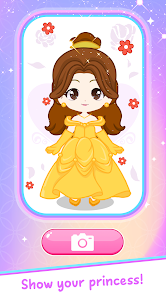
Editor Reviews
• What is Doll Dress Up: Sweet Girl?
Adorable Dress-Up World 🌈
Doll Dress Up: Sweet Girl is a cute casual game where players style charming anime girls with tons of outfits, hairstyles, and accessories. Mix and match pieces to create dreamy looks, from school girl vibes to fairy princess fantasies.
Endless Fashion Closet 👗
Enjoy a huge wardrobe packed with dresses, tops, skirts, shoes, bags, and more. New items and themes keep the closet fresh, so fashion experiments never get boring. Every doll can have a totally unique style.
Creative Story Maker 📸
Not just changing clothes—build whole scenes! Decorate backgrounds, pose dolls, and design mini stories or comics. Take screenshots to save favorite looks and share them with friends for extra fun.
Relaxing & Kid-Friendly Fun 💕
Simple tap controls, soft colors, and cute art make it perfect for relaxing after school or work. No timers, no pressure—just chill fashion play that’s easy for beginners and fun for dress-up lovers of all ages.
• How to Play?
Step 1: Start Styling Easily 🎀
Step 2: Open the game, pick a sweet girl, and begin dressing her up with outfits, makeup, and scenes. Everything is done by tapping and sliding, so it’s super easy to learn and play.
Step 3: Choose Your Doll 👧
Step 4: From the main screen, tap a character to start. Some dolls are unlocked at the beginning, others may need playing time or rewards to access.
Step 5: Open the Wardrobe 👗
Step 6: Tap clothing icons on the side or bottom of the screen. Browse categories like dresses, tops, bottoms, shoes, accessories, and hairstyles. Swipe left or right to see more items.
Step 7: Dress and Mix Styles 🌸
Step 8: Tap any item to instantly put it on the doll. Try different combinations, change colors, and layer accessories until the outfit looks just right. Tap again to switch or remove pieces.
Step 9: Customize Hair & Face 💄
Step 10: Use the hair and makeup menus to change hairstyle, hair color, eyes, and other details. Adjust these to match the outfit theme—cute, cool, elegant, or fantasy.
Step 11: Create Background Scenes 🌈
Step 12: Tap the background or scene icon to select rooms, outdoor spots, or fantasy settings. Position your doll, adjust pose options if available, and build a mini story world.
Step 13: Save and Share Your Looks 📷
Step 14: When finished, tap the camera or save button to capture your design. Save it to your device, set it as a wallpaper, or share with friends and social media to show off your cute fashion ideas.
Download for App
Ratings
Similar Games


Online Games


Disclaimer
GameVoro does not represent any developer, nor is it the developer of any App or game.
GameVoro provides screenshots, historical version APK, links and other information collected from Google Play.
All trademarks, registered trademarks, product names and company names or logos appearing on the site are the property of their respective owners.
We guarantee the security of APK files downloaded from our site and also provide the official download link at Google Play Store and App Store.